Real Estate Photo Enhancement: How to Make an Entire Listing Gallery Feel Consistent
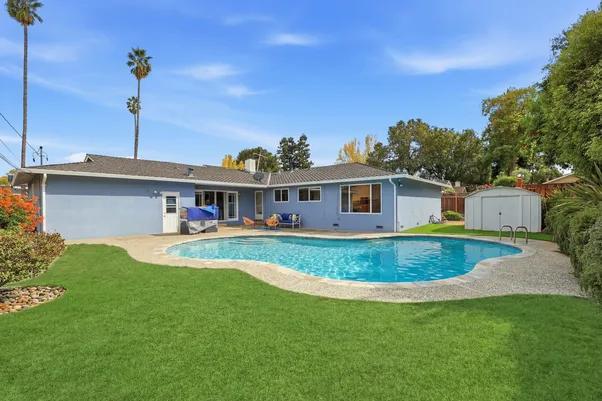
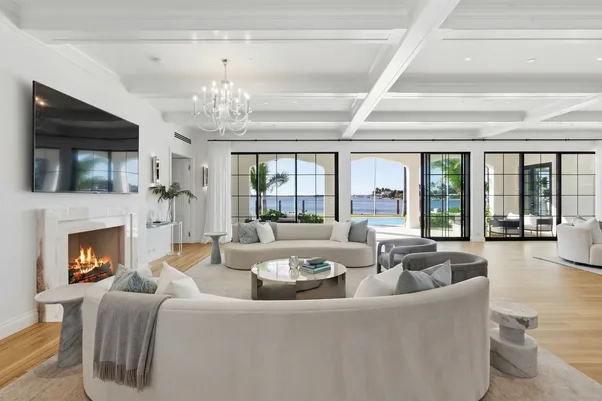
One property can have 30 photos and still feel like five different shoots. The living room looks warm. The kitchen looks blue. One bedroom is much darker than the others. Then you reach the exterior and the colors change again.
Nothing is necessarily wrong with any single image. Together, though, the gallery feels uneven. That’s the part of real estate photo enhancement that often gets missed. Editing isn't only about making individual photos look better. The whole gallery needs to feel like it belongs to the same property.
At AutoHDR, we think that consistency starts with the shoot and continues through the final editing pass.
Start with the whole gallery
Before changing individual images, look at the property as a set. Put the living room, kitchen, bedrooms and exterior shots beside each other. You’ll spot differences much faster that way.
We'd check:
- Overall brightness
- Color temperature
- Interior versus exterior exposure
- Vertical lines and perspective
- Strength of the edits
The goal isn't to make every photo identical. A sunny bedroom and a darker hallway shouldn't look like they were photographed under the same conditions. They should, however, feel like they belong to the same listing. That distinction matters.
Watch the color shifts
Color is one of the quickest ways for a gallery to become inconsistent. An interior photographed under warm artificial lights can easily look different from one captured mainly with daylight. If each image is corrected separately without looking at the rest of the property, the difference can become obvious.
That's why real estate photo enhancement should be judged across several images, not one at a time. Take a white kitchen as an example. If the cabinets look cream in one photograph and almost gray in another, buyers may wonder whether the room actually changed or whether the photography did.
We'd rather keep the color believable and consistent. The same goes for wood flooring, wall paint and countertops. Those details don't need to look identical in every image, but large shifts can make the gallery feel disconnected.
Don't make every image equally bright
This is another common mistake. Photographers sometimes brighten darker images until everything sits at roughly the same exposure. That can make a gallery look neat, but it can also flatten the property.
A room with limited natural light should still look like a room with limited natural light. We want to improve visibility without pretending the property has a completely different lighting situation. That's where good real estate photo enhancement requires some judgment. The aim is a consistent viewing experience, not a collection of artificially bright rooms.
Use the same editing direction
A gallery can handle different rooms and lighting conditions better when the basic editing approach stays consistent.
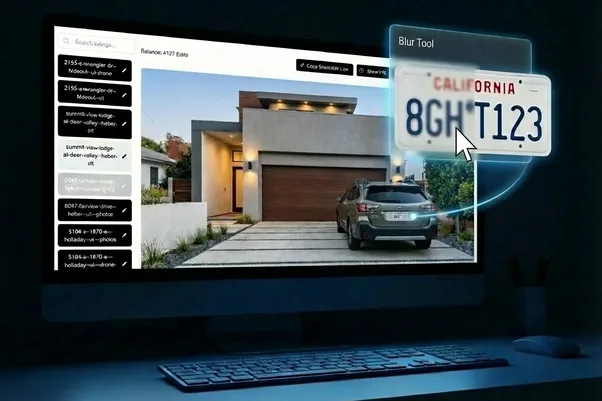
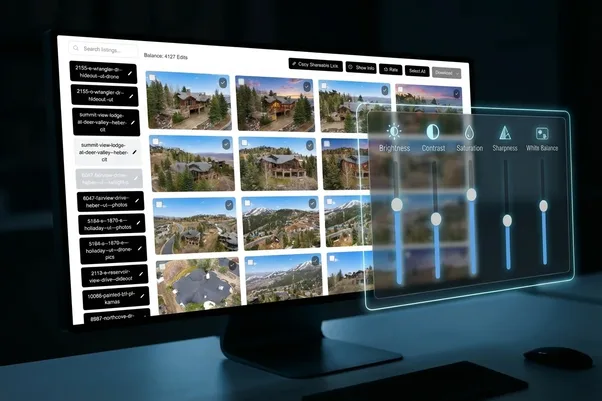
At AutoHDR, our workflow lets photographers apply global style settings and make bulk adjustments across multiple images. The platform also supports sliders and bulk edits, so a photographer can make a broader adjustment rather than opening every file and starting from scratch. Explore AutoHDR's AI real estate photo editing tools
That can be useful when a shoot contains dozens of images. For example, if the entire gallery needs a small exposure adjustment, applying it consistently makes more sense than fixing 35 photos one by one. Then you can spend your attention on the exceptions.
The exceptions still need a human look
Automation is useful. It doesn't mean we stop checking the images. One room might have a large window that needs different treatment. Another could contain mixed lighting. A reflective surface might react differently to an edit. Those images deserve another look.
At AutoHDR, our AI Re-edit tool lets users make targeted changes to individual photos after the main processing is complete. That can be useful when one image needs something different from the rest of the gallery.
So the workflow can be simple: set the overall look, batch the common adjustments, check the exceptions. That's usually more practical than trying to make every image perfect from scratch.
Think about the listing from the buyer's side
A buyer doesn't see your editing workflow. They see the gallery. If the first three images feel natural and the next five suddenly become much warmer, they'll simply experience the listing as inconsistent. They aren't thinking about white balance or exposure curves.
That's why real estate photo enhancement is partly a presentation problem. The question we ask at AutoHDR is simple: does the gallery feel like one property?
If yes, we're in a good place. If the kitchen looks like it belongs to one shoot and the bedroom another, there's still work to do.
Make the gallery feel like one property
You don't need every image to look identical. You need the edits to make sense together. That means checking the gallery as a whole, keeping color shifts under control, avoiding unnecessary brightness changes and using consistent editing settings wherever they make sense.
At AutoHDR, we use automation to take care of the repetitive parts of real estate photo enhancement, while leaving room for photographers to review the images that need a closer look. The result should feel simple to the buyer. They see the property. Not the editing.
FAQs
What does real estate photo enhancement include?
It can include exposure, color, HDR, perspective and other adjustments that improve how property photographs look.
Should every photo in a listing have the same brightness?
No. Different rooms have different lighting. The goal is consistency without making natural differences disappear.
Can AI enhance an entire real estate photo gallery?
Yes. Tools such as AutoHDR can process multiple images with shared editing settings, followed by individual adjustments where needed.