Fire in the Fireplace, Lights in the Windows: The Small AI Fills Buyers Notice Without Knowing Why
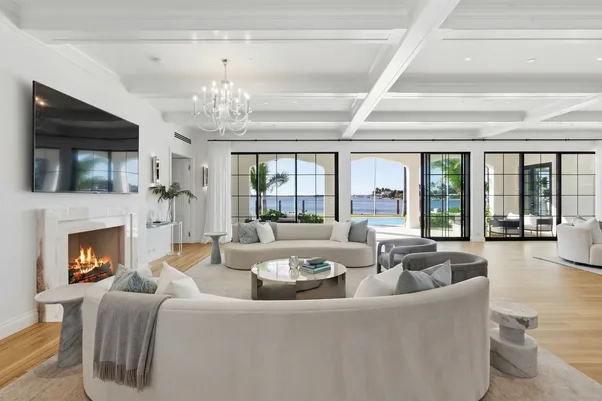
Scroll through enough listings, and you start to notice a pattern in the ones that stop the thumb. It is rarely the big, obvious edit. It's not the sky replacement or the twilight conversion. It is something smaller: a hearth that looks lived-in instead of hollow, a TV that reads as "on" instead of a black rectangle staring back at the camera. Buyers don't consciously register these details. They just feel like the room works, without being able to say why.
That's the part of real estate photo enhancement that rarely gets discussed. Most conversations about editing start and end with HDR blending, window pulls, and sky swaps. The fixes that solve an obvious technical problem. But a growing share of what separates a listing that feels finished from one that feels flat has nothing to do with exposure or color balance. It's about filling the small dead spaces a camera captures literally, but a buyer reads emotionally.
Why an Empty Hearth Reads as Unfinished
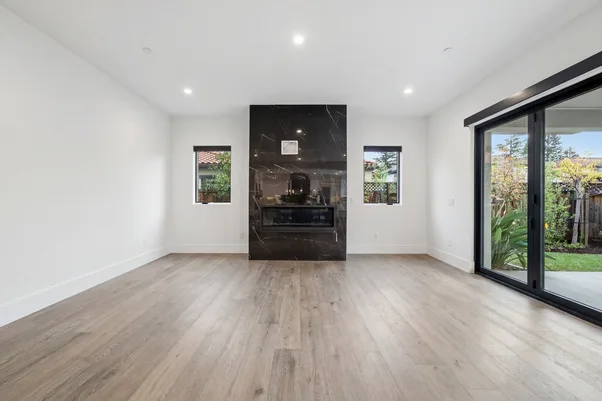
A fireplace is a focal point by design. Builders and stagers put it dead center in a living room layout for a reason. It is where the eye lands first. When that focal point is a cold, dark cavity, the whole room can feel slightly off, even if nothing else in the shot is wrong.
This is a familiar problem for anyone who's photographed occupied or staged homes. Sellers don't light a fire before a shoot. It is impractical, sometimes against agent instructions, and in warmer months it doesn't make sense at all. So the photographer is left with a technically correct photo of a fireplace that looks like a hole in the wall.
Adding a natural-looking fire to that hearth in post-production doesn't change what the room is. It changes what the room communicates. A lit fireplace signals warmth, comfort, and a home that is cared for. The same impression a seller would want to make if they could time the shoot around an actual fire in the grate. We treat this as a finishing touch, not a transformation: the fireplace itself, its surround, its proportions, all stay exactly as shot.
Dead Screens, Dead Rooms
The television fill solves a version of the same problem. A blank, reflective TV screen in the middle of a family room photo does two unhelpful things at once. It draws the eye with a flat, dark rectangle, and it makes the room look unoccupied in a way that feels slightly staged-for-vacancy, even in a home that's very much lived in.
Filling that screen with a neutral, ambient image, a nature scene or a subtle abstract pattern, nothing branded or attention-grabbing, closes that visual gap. It is a small edit, but it is the kind that keeps a buyer's attention on the room instead of on the one object in the frame that looks wrong.
Neither of these fixes is new to real estate photography. Photographers have composited fireplace flames and TV content manually in Photoshop for years, one image at a time, on the shots that seemed to need it most. What has changed is that this no longer has to be a manual, case-by-case decision made under deadline pressure. It can be applied consistently, across an entire shoot, without adding hours to a turnaround.
Where These Fills Fit in a Broader Enhancement Workflow
It is worth being clear about what these edits are not. They are not virtual staging, which furnishes an empty room. They are not sky replacement or grass greening, which correct something the weather or the season got wrong. They sit in a narrower category: enhancement to a real, occupied or staged space, addressing an object that is genuinely present in the frame but not performing its usual visual job.
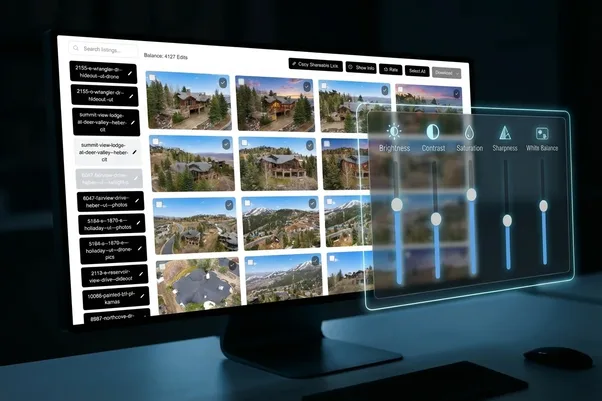
At AutoHDR, fireplace and TV screen fills are part of the same capability set as HDR blending, window pulls, white balance correction, and reflection removal. The layer of editing that happens on nearly every shoot, not the layer reserved for special requests. That matters for how photographers use them. A fireplace fill isn't something you flag separately and wait an extra day for. It is applied as part of the standard pass across a shoot, the same way a crooked horizon gets straightened or a blown-out window gets pulled back.
That consistency is the actual value. A photographer covering fifteen listings a week doesn't have time to manually assess which fireplaces look empty enough to warrant a flame overlay. When it is built into the editing pipeline rather than treated as an upsell, it gets applied evenly, which means a brokerage's listings start to look consistent to buyers scrolling from one property to the next, not just polished on the properties someone happened to flag.
When to Use These Fills, and When to Leave Them Out
Not every fireplace needs a flame added. A gas fireplace with glass doors, a decorative fireplace that is clearly not functional, or a fireplace in a photo where the room's overall styling makes an added flame look inconsistent. These are judgment calls, and the honest answer is that skipping the edit is sometimes the right one.
The same applies to TV screens. If the television is switched on and displaying something in the original shot, there's nothing to fix. If a room doesn't have a TV at all, there's obviously no edit to make. The point isn't to add elements to every room that could theoretically hold one. It is to correct the handful of shots per listing where an empty focal point is quietly working against the photography.
This is also where photo enhancement and photo misrepresentation start to matter as separate ideas. A fireplace flame or a TV fill doesn't alter the property's layout, size, condition, or fixtures. Nothing a buyer would need to verify at a showing changes. That is a meaningfully different category from edits that could misrepresent what a buyer will actually see in person, and it is why we treat these fills as routine enhancement rather than anything that needs a disclosure conversation.
A Quick Way to Think About It Before Delivery
For photographers deciding whether a shot needs this kind of fill, a short mental checklist tends to work better than a rule:
- Does the fireplace or TV sit in a visually central spot in the frame, or is it a minor background element?
- Is the space empty or off in a way that reads as unfinished, rather than simply unlit or unused?
- Would adding the fill change anything a buyer would need to know walking through the home in person?
- Does the rest of the room's staging and lighting support the addition, or would it look inconsistent with everything else in the shot?
If a fireplace or television is genuinely working against the photo, going unnoticed by name but quietly making a room feel less finished, it's worth fixing. If it isn't, the better edit is often no edit at all.
Real estate photo editing has always been about closing the gap between what a camera captures and what a room actually feels like to stand in. Fireplace and TV fills are a small, specific piece of that gap-closing work. Easy to overlook when talking about editing in the abstract, but often the difference a buyer notices without being able to explain why.
Try it on your own listings
AutoHDR handles fireplace fills, TV screen fills, HDR editing, virtual staging, twilight conversion, and item removal from one workflow, delivered through the platforms you already use, including HDPhotoHub, Aryeo, Spiro, and Tonomo. New accounts get up to a month of free credits. Upload a set of listing photos or book a demo at autohdr.com to see how it handles your own shoots.
FAQs
Does adding a fireplace flame or TV image count as misrepresenting the listing?
No, provided the edit doesn't change anything a buyer would need to verify at a showing, such as the property's layout, fixtures, or condition. It's treated as routine enhancement, not the kind of edit that requires disclosure.
Can these fills be applied to every photo in a shoot automatically?
Yes. Fireplace and TV screen fills run as part of the same editing pass as HDR blending and white balance correction, so they're applied consistently across a listing rather than flagged one photo at a time.