'Open the Pool': How Prompt-Based Photo Re-Edits Are Replacing the Revision Request Email
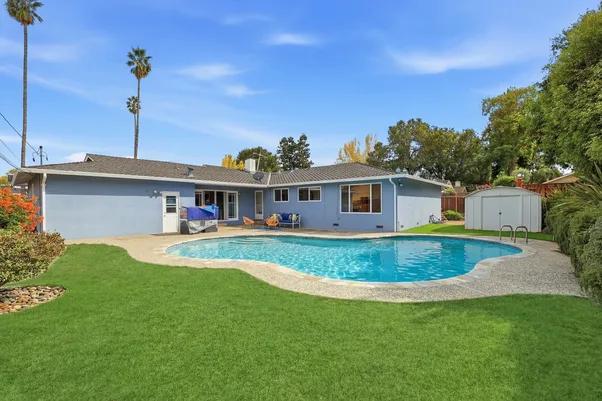
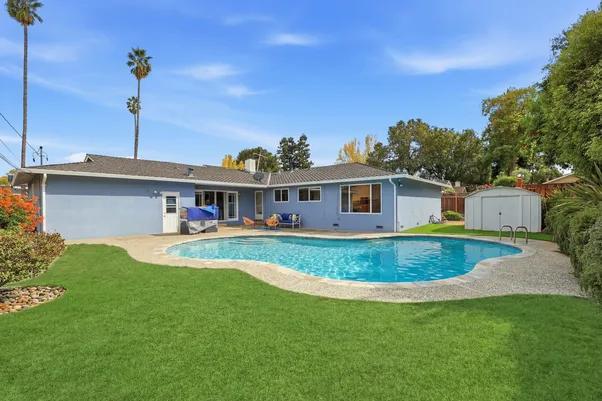
Every photographer who outsources editing knows the revision email. You get the edited set back, something is off, maybe the pool cover wasn't skimmed before the shot, maybe a window pull went too far, and now you are writing a message explaining exactly what needs to change, attaching the file, and waiting. Best case, that's a same-day turnaround. Worst case, it is a full day lost on a listing that was supposed to go live that morning.
That back-and-forth has been the quiet cost of outsourced editing for years. Not the initial turnaround (most vendors are fast on the first pass), but the second pass, the one nobody budgets time for until they need it.
The Problem Isn't the Edit. It is the Request.
Revision requests are rarely complicated. "Open the pool." "Warm up the living room." "Take the reflection out of that mirror." These are one-sentence asks. But turning that sentence into an actual edit has traditionally meant a full loop: write the request, attach the image, wait for someone to read it, wait for the edit, wait for the file to come back.
The bottleneck was never the editing skill. It was the translation layer between what a photographer wants changed and getting that change made, and every step in that translation added hours.
What a Prompt-Based Re-Edit Actually Changes
AutoHDR's re-edit tool removes that translation layer. Instead of writing a request and attaching a file to a separate channel, a photographer types the change directly against the photo: “open the pool,” “add more warmth to the fireplace,” “brighten the hallway,” and the edit is applied to that specific image without touching the rest of the set.
This matters more than it sounds like it should, because it changes who can request a fix. A revision email requires someone to explain a visual problem in writing clearly enough for another person to interpret correctly. A prompt just needs to say what is wrong. That is a lower bar, and it means agents and photographers who used to let a minor issue slide because flagging it wasn't worth the email now just fix it.
It also means a request that used to take a day comes back in the time it takes to reprocess one image, not a full batch, and not a support queue.
Why This Is a Different Kind of "Best"
When people search for the best AI real estate photo editor, they're usually comparing speed and output quality: how fast the first pass comes back, how clean the HDR blend looks. Those are the right things to compare. But the revision loop is where a lot of tools quietly fall short after the sale, because the sales pitch is always built around the first edit, not the second.
A tool is only as good as what happens when the first pass isn't quite right. That is a different test than turnaround speed, and it is one worth applying before committing to any platform: not "how fast is the first edit," but "how fast is the fix."
Where This Fits Into a Normal Workflow
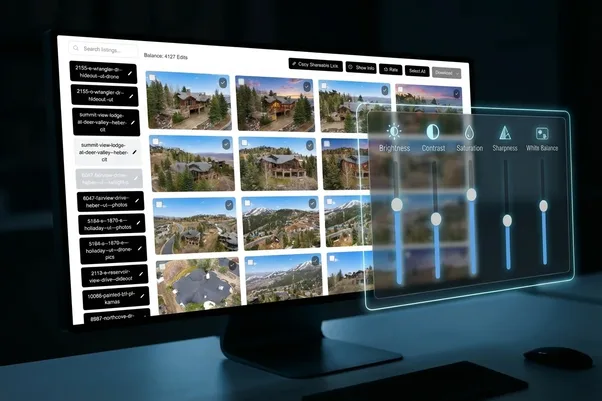
This isn't a replacement for the core editing pipeline. HDR blending, white balance, perspective correction, sky replacement, and the rest still happen on the first pass, the same as always. The prompt-based re-edit sits downstream of that, as the layer that handles the small number of images per shoot that need a second look.
In practice, that is usually a handful of photos out of a full listing set: a pool that should read as more inviting, a room that came back a shade too cool, a reflection that survived the first editing pass. Rather than resending the whole shoot or writing up a request, the fix happens directly on the image that needs it.
What to Expect If You Try It
The best way to understand a prompt-based re-edit is to use it on a photo you would normally flag in an email anyway. Keep the request specific: "open the pool" works better than "make the backyard look nicer," the same way a clear instruction to a person gets a more accurate result than a vague one.
Try it on your own listings
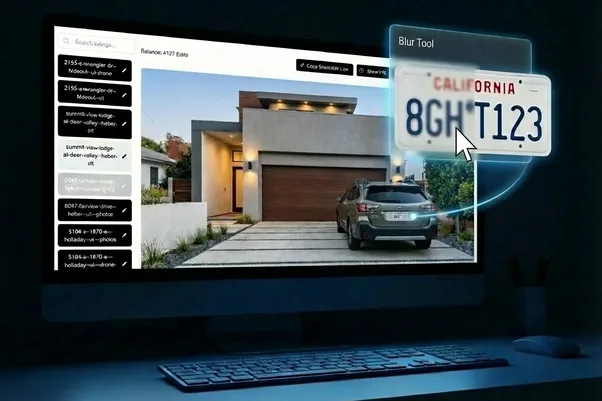
AutoHDR pairs prompt-based re-edits with the rest of its editing pipeline, HDR blending, virtual staging, twilight conversion, and item removal, delivered through the platforms you already use, including HDPhotoHub, Aryeo, Spiro, and Tonomo. New accounts get up to a month of free credits. Upload a set of listing photos or book a demo at autohdr.com to see how a revision request holds up against a one-line prompt.
FAQs
Does a prompt-based re-edit affect the rest of the photo set? No. The prompt is applied to the specific image it's attached to, so the rest of the shoot stays as originally delivered.
How specific does a re-edit prompt need to be? More specific requests produce more reliable results. A direct instruction, naming the object and the change, works better than a general description of the mood you want.