The Twilight Reel: How Agents Are Turning Static Dusk Shots into Looping Video Transitions for Social
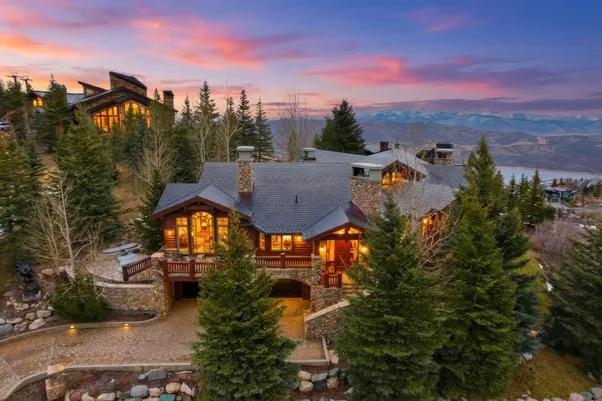
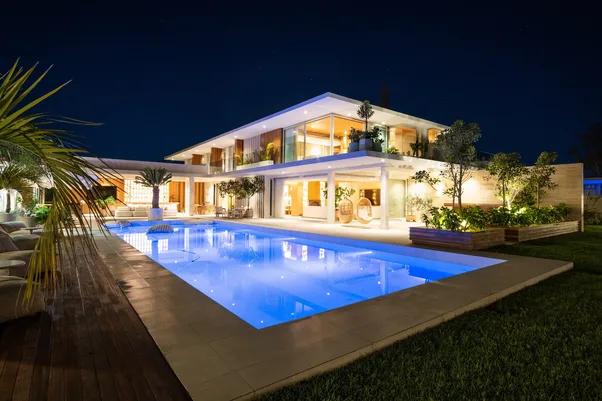
A single dusk photo stops the scroll for maybe a second. A looping video that fades a house from bright daylight into a warm, glowing dusk holds attention a lot longer, and agents have started noticing the difference in their social numbers. What used to be one still image sitting in the listing gallery is now getting a second life as a short, looping clip built entirely from twilight photo editing.
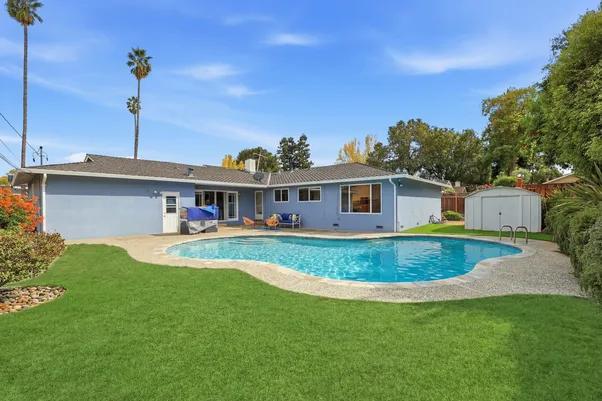
The idea is simple once you see it done. Take the same exterior shot, edit it into both a daytime and dusk version, then animate the transition between the two so the sky darkens, the windows light up, and the whole scene shifts smoothly from afternoon to evening on a loop. No new footage, no second shoot, just two versions of a photo an agent already has, turned into something that moves.
Why This Format Is Working on Social
Static real estate photos compete against video content on every platform now, and video simply performs better in most social feeds. A looping day-to-dusk clip gives agents something that behaves like video, complete with motion that catches a thumb mid-scroll, without needing an actual video camera or a videographer on site.
It also plays well with how people already browse listings casually. Someone scrolling Instagram or TikTok isn't studying a floor plan closely. They're reacting to a feeling, and a house visibly transforming from day to dusk creates a small moment of visual interest that a flat photo just can't match.
How Do I Turn a Daytime Exterior Into Twilight Without Reshooting?
This is the question most agents ask once they see the format and want to try it themselves. The short answer: you don't need a second shoot at all. A normal daytime exterior photo gets processed through twilight photo editing, which darkens the sky, adds a warm glow to interior windows, and turns on exterior light fixtures digitally. Once both the daytime and dusk versions exist as edited images, a short animation or crossfade sequence blends them together into the looping clip.
Building the Loop
The animation itself doesn't need to be complicated. A slow crossfade between the day and dusk versions, run forward and then reversed, creates a seamless loop that plays continuously without an obvious start or end point. Some agents add a subtle zoom or pan across the fade to give it a bit more motion, though a clean crossfade alone is usually enough to catch attention in a feed.
The quality of the underlying twilight photo editing matters more here than in a single static image, since a loop gives viewers more time to notice anything that looks off. A window glow that doesn't line up with where the actual fixtures sit, or a sky transition that looks abrupt instead of gradual, becomes a lot more obvious once it's playing on a five-second loop instead of sitting still in a gallery.
Editing Twilight Photos That Actually Hold Up in Motion
Not every photo makes a good candidate for this format. A twilight edit needs consistent lighting logic across both versions, meaning the shadows, the light source direction, and the reflections all need to make sense together, or the transition reads as fake the moment it starts moving.
Photographers who do this well tend to plan the shot with the eventual loop in mind, choosing angles where the windows and exterior lights are clearly visible so the transition has something obvious to animate. AutoHDR's virtual twilight photo editing keeps both the daytime and dusk versions consistent from the same source photo, which makes stitching them into a loop a lot more straightforward than trying to match up two separately edited images after the fact.
What This Means for a Listing's Social Presence
None of this replaces a full walkthrough video, and it's not meant to. It's a small, low-effort format that gets more mileage out of photos an agent already has. As more agents pick this up, twilight photo editing is turning into something that serves two jobs at once, the still photo for the listing and the raw material for a looping social clip, both coming from the same original shoot instead of two separate ones.
Try it on your own listings
AutoHDR is the AI editing platform built for real estate photographers and agents who need a full listing package - HDR photo editing, virtual staging, twilight conversion, item removal, and grass replacement - delivered from one workflow instead of several disconnected tools. New accounts get up to a month of free credits. Upload a set of listing photos or book a demo at autohdr.com to see the turnaround on your own shoots.
FAQs
What tools are needed to build the looping crossfade itself?
Any basic video editor that supports a crossfade transition works - the two edited stills are the hard part, and most agents already have a phone editing app capable of the fade once those exist.
How long should the loop be?
Most agents keep it to four or five seconds per direction, roughly ten seconds for a full day-to-dusk-and-back cycle, which fits comfortably inside a Reels or TikTok feed without feeling slow.