Inside AutoHDR’s Editing Engine: How Our System Sorts, Merges, and Delivers Thousands of Photos Daily
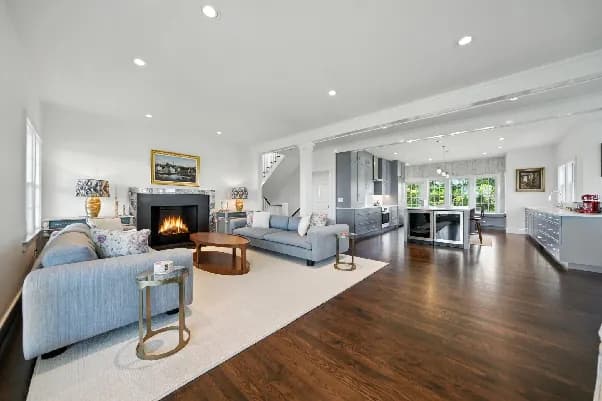
If you have ever wondered how some photographers deliver finished photos the same day they shoot, the answer lies behind the scenes in automation. The real difference between a 12-hour turnaround and a 5-minute one is not just software speed. It is how the entire workflow is designed to think like a photographer.
At AutoHDR, we built our AI real estate photo editor with that exact idea in mind. Every part of the process, sorting, merging, balancing, and delivery, happens in a single, connected flow. Our system is not just editing photos. It is running a full-scale production pipeline that can handle tens of thousands of images every day with the same precision you would expect from a human editor.
Let’s open the engine and see how it works.
Step 1: Smart Sorting That Starts the Workflow
Before editing even begins, organization matters. Most photographers spend hours manually renaming files, matching brackets, and sorting exposures. That was the first part of the workflow we decided to eliminate.
Our AI real estate photo editor automatically detects exposure sequences, filters duplicates, and organizes shots by property and angle. Whether you upload 30 or 3,000 files, the system understands which photos belong together.
This is what we call workflow intelligence. It is not glamorous, but it saves hours of manual effort every single day. When editing starts, every set is already sorted and ready for merging, with no human prep required.
Step 2: Exposure Merging That Feels Natural
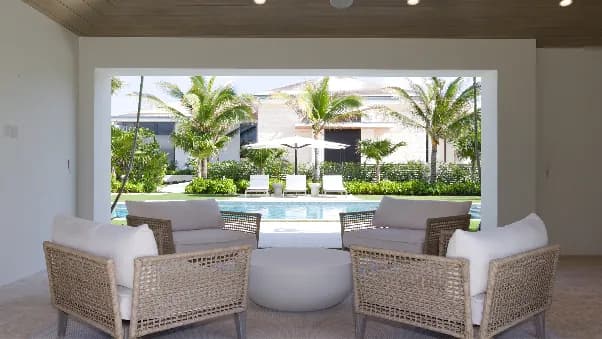
The core of what we do lies here. AutoHDR merges multiple exposures into one balanced image that represents what your eyes actually saw on-site. Traditional HDR blending often went too far, creating harsh or fake-looking tones.
Our hybrid exposure algorithm takes a different approach. It maps each pixel’s tone range and blends exposures based on real light behavior. The result is natural brightness, clean shadows, and perfectly exposed windows without that over-processed look.
This stage is where AI real estate photo editing becomes more than automation. It becomes a simulation. We have trained the system to understand light, not just measure it.
Step 3: White Balance and Tone Calibration
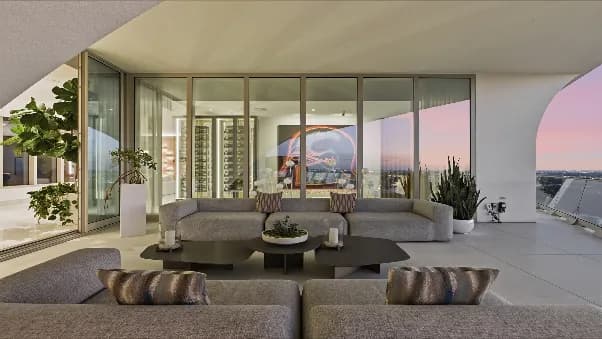
Once exposures are merged, AutoHDR corrects the photo’s color temperature using contextual analysis. This means it does not just pick an average temperature. It analyzes each image based on time of day, lighting type, and surface reflection.
That is why walls do not look orange at sunset or blue under natural light. Our system ensures every edit looks true to life and consistent across an entire shoot.
For photographers using our AI real estate photo editor, this consistency is what keeps clients happy. Every listing, every room, and every batch stay aligned in tone and accuracy.
Step 4: Perspective and Line Correction
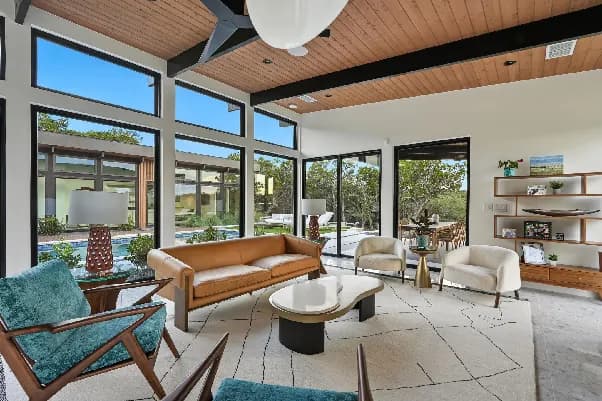
Crooked lines and lens distortion are some of the most common distractions in real estate photos. A tilted room or bent wall can make even the nicest property look unprofessional.
To fix this, AutoHDR’s engine automatically detects horizon and vertical lines and then corrects perspective without stretching or warping the image. It is subtle but critical. Straight lines give the viewer’s brain a sense of order, stability, and quality.
This feature is fully automated but calibrated to match how photographers manually adjust images in Lightroom. That is what makes our AI real estate photo editing approach both efficient and authentic.
Step 5: Seamless Delivery and Integration
Editing is only half the battle. The real win is how fast you can deliver. AutoHDR integrates directly with platforms like Dropbox, Aryeo, Spiro, and HDPhotoHub to send completed photos straight to where your clients expect them.
Once your batch is finished, the system automatically pushes it to your connected folder, ready to download, label, or deliver. There is no waiting for approval queues or manual uploads.
Our online AI real estate photo editor handles thousands of photos daily using the same process. That is how we can guarantee speed without sacrificing precision.
Why Automation Does Not Mean Losing Control
Some photographers worry that automation removes creative control. We see it differently. The photographer defines the style, and the automation maintains it.
With AutoHDR, you still decide how you shoot and how your photos feel. The system handles the technical grind, exposure balance, tone correction, white balance, and delivery, so you can focus on composition and storytelling.
This balance of automation and artistry is what makes the best real estate photo editor tools truly professional. They do not replace your skill. They amplify it.
Scaling Without Losing Quality
AutoHDR’s editing engine was built for growth. Whether you are a solo photographer managing five listings a week or an agency processing 50,000 images a day, the system adapts instantly.
Because every photo passes through the same tested workflow, quality never slips under pressure. That consistency is what separates advanced AI real estate photo editing services from basic tools.
Our users regularly scale their businesses without adding editors or extra labor because the system itself does the scaling for them.
The AutoHDR Advantage
Here is what happens inside our engine every minute of every day:
-
Photos sorted and organized automatically upon upload.
-
Exposures merged and balanced for true-to-life lighting.
-
Colors are calibrated so whites stay neutral and tones stay consistent.
-
Lines are corrected so every frame looks straight and professional.
-
Files delivered and synced to your platform within minutes.
This is what the future of the AI real estate photo editor looks like. It is not just about speed but about structure.
Conclusion
Great editing used to mean hours of manual effort and constant revisions. Now, it means building a system that thinks ahead for you.
At AutoHDR, our AI real estate photo editor was designed to take the stress out of post-production, sorting, merging, correcting, and delivering photos faster than any manual workflow ever could.
We believe automation is not just about doing things quickly. It is about doing them right at scale every single time. When your photos look consistent and real, your clients trust you, and that is what drives a growing business.
FAQs
How does an AI real estate photo editor automatically organize uploaded photos?
Advanced AI editing systems can identify bracketed exposures, detect duplicate images, and group photos by sequence before editing begins. This eliminates the need for manual sorting and helps photographers move directly from upload to processing.
What is exposure merging, and why is it important in real estate photography?
Exposure merging combines multiple bracketed photos into a single image that captures detail in both bright and dark areas. This creates balanced interiors, clear window views, and more natural-looking lighting than a single exposure can achieve on its own.
How does AutoHDR maintain consistent colours across an entire property gallery?
The system automatically analyzes colour temperature, lighting conditions, and exposure levels for each image. It then applies white balance and tone corrections to ensure every room in the gallery maintains a natural, consistent appearance.
Why is perspective correction essential for real estate photos?
Wide-angle lenses can cause walls, doors, and vertical lines to appear tilted or distorted. Perspective correction straightens these elements, creating a more professional image and helping rooms appear accurate and well-proportioned.
Can automated editing handle large volumes of real estate photos?
Yes. Modern AI-powered editing platforms are designed to process hundreds or even thousands of images simultaneously. Automated workflows allow photographers and agencies to maintain consistent quality while significantly reducing turnaround times.
Does automation reduce creative control for photographers?
No. Automation handles repetitive technical tasks such as HDR blending, colour correction, perspective adjustment, and file organization. Photographers still control composition, lighting choices, and shooting style while benefiting from a faster and more efficient post-production workflow.