Real Estate Photo to Video: How to Turn an Existing Listing Gallery Into More Marketing Content
You already paid for the property photos. So why should the listing stop there?
A good photo shoot can give an agent enough material for the property page, but those same images can also become short-form content for social media, email campaigns, property websites and other marketing channels.
“Real estate photo to video” tools make that possible without scheduling another shoot every time you need a video. The trick is choosing the right photos and giving them a sensible order. Throwing 20 images into a template and adding music isn't much of a strategy. We'd rather start with the gallery you already have and make it work harder.
Your photo gallery already has a story
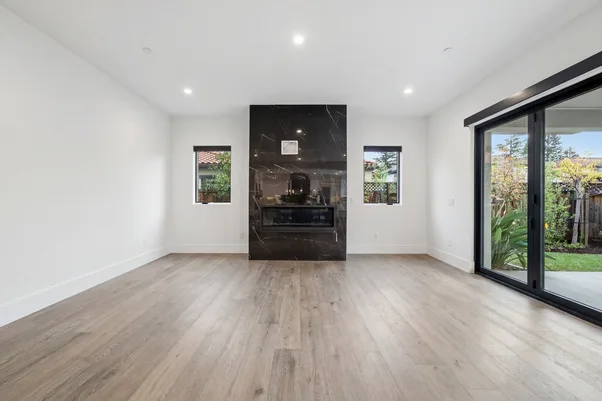
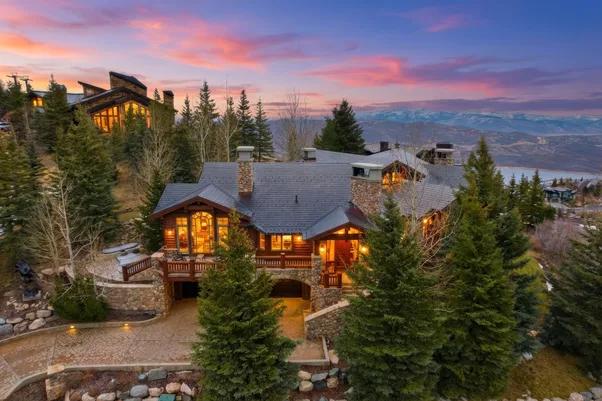
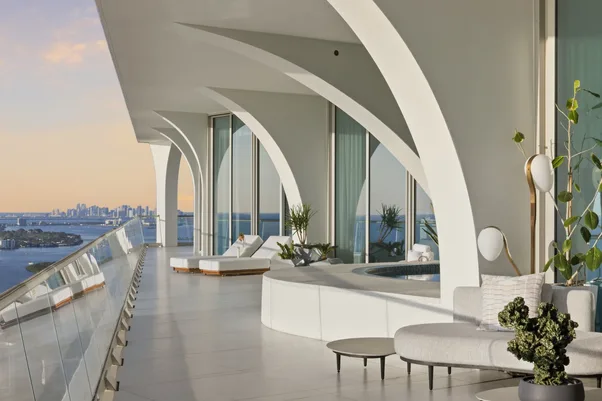
A property gallery usually has a natural sequence. Exterior first. Then the main living space. Kitchen. Bedrooms. Other useful spaces. The exact order depends on the property, but there is usually a reason the photographer captured each image.
That makes the existing gallery a useful starting point for “real estate photo to video” content. We don't need to recreate the property from scratch. We can take the strongest images from the shoot and arrange them so the video feels like a quick tour rather than a random slideshow.
For example:
- Exterior: Opening shot
- Main living area: Establish the home's feel
- Kitchen: Show a key selling space
- Bedroom: Continue the property story
- Patio or backyard: Finish with another point of interest
You may not need every image. That's actually a good thing.
Pick photos that can handle movement
A photo that looks great as a still doesn't automatically make a good video frame. Wide, well-composed images tend to give motion effects more room to work. A tight crop of a small bathroom mirror doesn't give much space for movement without making the result feel strange.
When we're preparing photography for other marketing uses, we'd look for:
- Clear room views
- Good lines and perspective
- Enough space around the main subject
- Consistent image quality
- Photos that represent different parts of the property
The source material matters. Current photo-to-video tools can add pans, zooms and other movement to still images, but generative systems can also introduce visual errors while creating new frames.
Recent tests of these tools have turned up examples where AI-generated motion changed property geometry, including kitchen and countertop details. So review the finished video. Every frame.
One gallery can serve several formats
A listing video doesn't have to mean one horizontal video sitting on a property page. The same source photos can be repurposed for different channels. Current real estate photo-to-video platforms commonly offer vertical, square and landscape outputs because the destination changes how the content needs to be presented.
We'd think about the destination before creating the video. A property website may need a wider format. A social post may work better vertically. An email campaign might need something shorter that gets to the point quickly.
The photos don't change. The presentation does. That can save a photographer or agent from treating every new marketing request as another production job.
Keep the video honest
This part matters more than a clever transition. If you're turning listing photos into video, the video should still represent the property shown in those photos. Don't let motion effects create a misleading impression of the room.
Be especially careful with AI-generated movement that appears to change the property's physical features. If a countertop bends, a window shifts or furniture changes shape between frames, the problem isn't just that the video looks odd. It can affect what a viewer thinks they're looking at.
Current industry guidance is also putting more attention on digitally altered property imagery. CRMLS's 2026 guidance, for example, addresses digitally altered images and requires specific treatment of altered listing imagery. Rules vary by market, so the applicable MLS requirements should be checked before publication. We'd always review the final output against the original photographs.
Where AutoHDR fits
At AutoHDR, our job is the photography side of the workflow. We help photographers process real estate images with tools for HDR editing, removals, virtual twilight, grass greening, virtual staging and AI Re-edit. We also support integrations with platforms such as Spiro, HDPhotoHub, Tonomo, Aryeo and Dropbox.
We don't need to pretend that photo editing and video creation are the same job. They're not. But the two can sit next to each other in a listing workflow. Get the still photography edited and ready first. Then use the finished gallery as the source material for whatever additional marketing content the agent needs. That means the original shoot keeps doing more work.
Get more from the shoot you already made
“Real estate photo to video” works best when you treat it as repurposing, not replacement. The photographer has already captured the property. The agent already has the images. The next step is deciding which photos deserve another life and where they should appear.
At AutoHDR, we think good real estate photography should be useful beyond one listing page. Get the still images right first, then build additional content around them without sending everyone back to the camera. One shoot can do more.
FAQs
Can listing photos be turned into a real estate video?
Yes. AI and traditional video tools can combine existing property photos with motion, transitions, music, text or narration.
How many photos should a property video use?
There isn't one fixed number. Use enough images to show the property clearly without making the video feel repetitive.
Should AI-generated property videos be reviewed before publishing?
Yes. Check the finished video against the original photos for visual errors, changed property features and applicable MLS requirements.